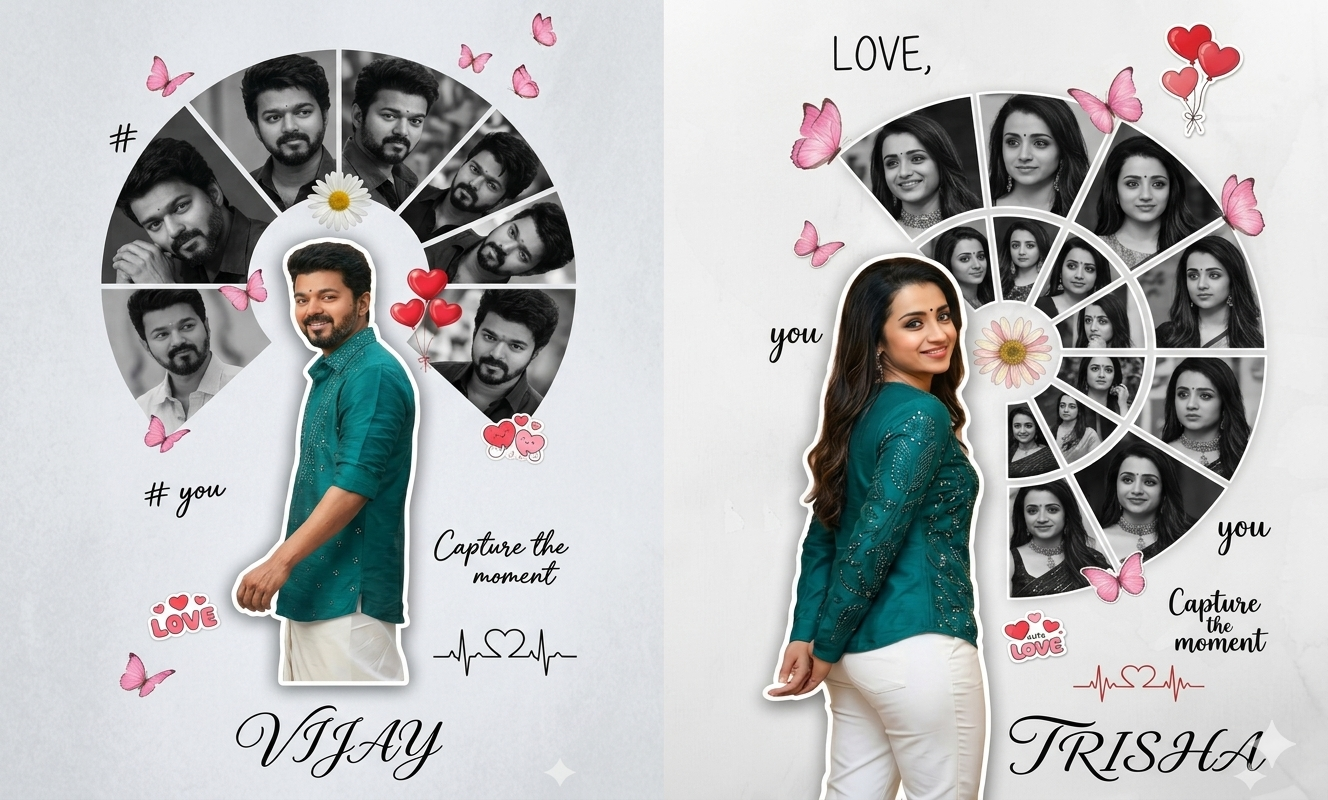
Romantic Digital Photo Collage Gemini AI prompts
Creating a romantic digital photo collage is about more than just sticking pictures together; it’s about telling a story of connection, shared history, and affection. Using an AI like Gemini to help design these can save you hours of manual editing while producing professional-grade results.
To get the best out of an AI image generator, you need descriptive prompts. Here is a comprehensive guide on how to craft romantic digital photo collage prompts, explained in simple English.
1. Understanding the “Core Theme”
Before writing a prompt, decide what kind of “vibe” you want. Romance can be soft and vintage, or it can be modern and vibrant. The theme is the foundation of your prompt.
Useful Updates
-
Prompt Tip: Start with a broad description of the atmosphere.
-
Example Phrase: “A romantic, dreamlike digital collage…” or “A minimalist, modern anniversary photo grid…”
By defining the theme first, you tell the AI whether to use bright colors or muted, nostalgic tones.
Useful Updates
2. Choosing the Layout Style
In a digital collage, the arrangement of photos matters. You can ask for a structured grid, a messy “scrapbook” look, or even shapes like a heart.
-
The Grid Look: This is clean and organized. Use words like “symmetrical,” “clean borders,” and “square tiles.”
-
The Scrapbook Look: This is more artistic. Use words like “overlapping photos,” “torn paper edges,” “washi tape,” and “polaroid style.”
-
The Shape Collage: If you want the photos to form a specific silhouette, specify it clearly: “A collection of small photos arranged to form the shape of a large heart.”
3. Describing the Subjects and Content
Since you are likely using your own photos, you need to describe the types of images the AI should simulate or arrange. This helps the AI understand the “hero” of the piece.
-
Focus on Emotions: Use words like “candid laughter,” “holding hands,” “watching a sunset,” or “forehead kisses.”
-
Scenery: Mention locations like “a cozy coffee shop,” “the Eiffel Tower in the background,” or “a snowy mountain peak.”
-
Details: Don’t forget the small things. Prompts like “close-ups of intertwined fingers” or “a bouquet of red roses tucked between photos” add depth.
4. Color Palette and Lighting
Lighting sets the mood. For a romantic feel, you generally want warmth.
-
Golden Hour: This is the most popular romantic lighting. Use the phrase “bathed in warm, golden hour sunlight.”
-
Pastels: For a soft, whimsical look, ask for “soft pink, cream, and lavender tones.”
-
Moody/Vintage: For a classic feel, try “sepia tones,” “faded film aesthetic,” or “grainy black and white textures.”
5. Adding Decorative Elements
A great digital collage often includes “extras” that tie the photos together. These are the digital equivalent of stickers and ribbons.
-
Botanicals: “Intertwined with delicate dried flowers and eucalyptus leaves.”
-
Handwriting: “Include handwritten scripts of ‘Forever’ and ‘Always’ in the margins.”
-
Sparkle: “Fairy lights draped across the frame” or “subtle gold leaf accents.”
Prompts Men:
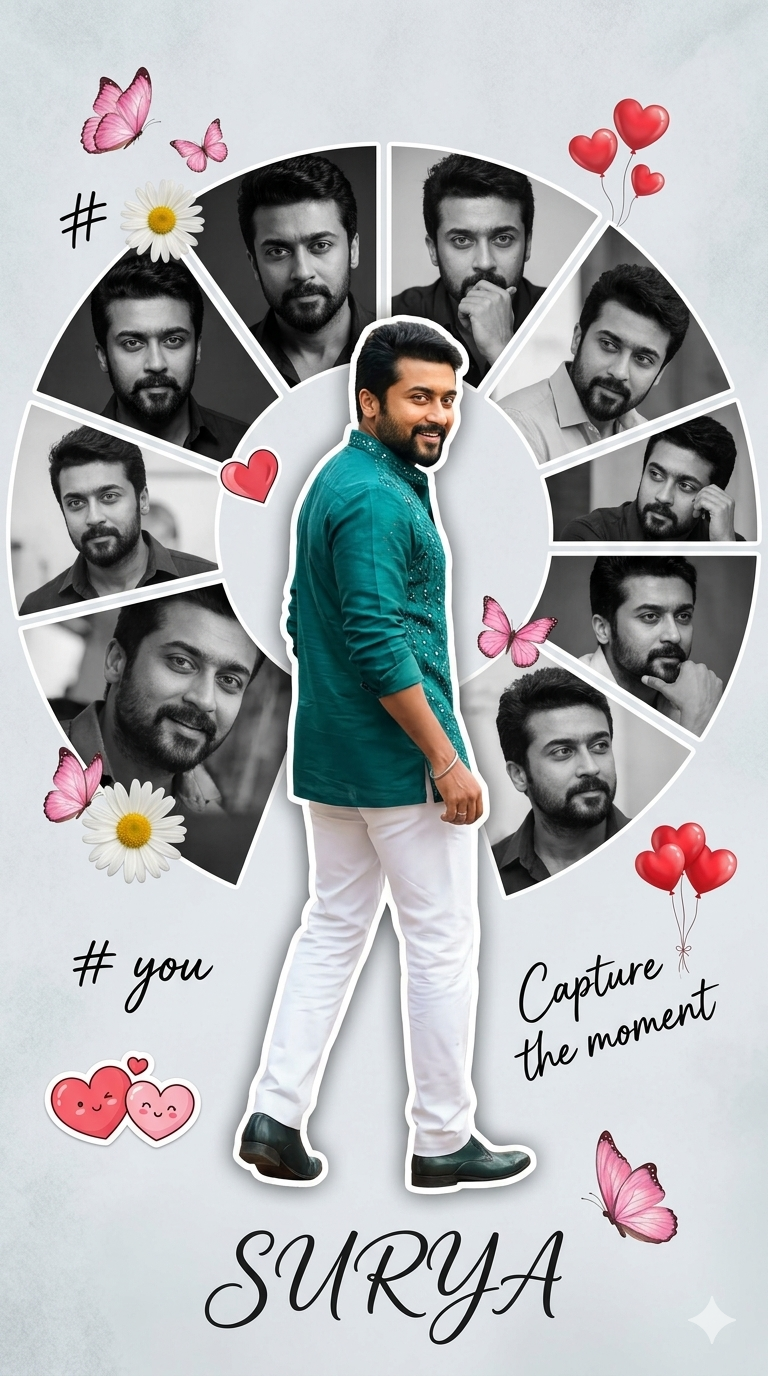
A creative romantic digital photo collage featuring a young handsome man in a peacock green shirt and white trousers. The main subject is a full-body cutout placed slightly left, turned back and smiling over hes shoulder, wearing a peacock green embellished shirt. Behind and around him is a semi-circular collage of multiple blackand-white portrait shots of the same man, each in different expressions and poses, arranged in curved segments. The background is a soft light grey textured surface with a minimal aesthetic.
Decorative elements include pink butterflies, a floral daisy near the center, red heart balloons, and cute love-themed stickers. Handwritten-style text elements like “#,” “# you,” and “Capture the moment” are scattered around. A small heartbeat line with a heart icon is included. At the bottom, the name “SURYA” appears in elegant cursive typography. Soft shadows, smooth cutout blending, high-end Photoshop manipulation, romantic mood, pastel tones, high resolution, 4k. 9:16 ratio.
Prompts Women:
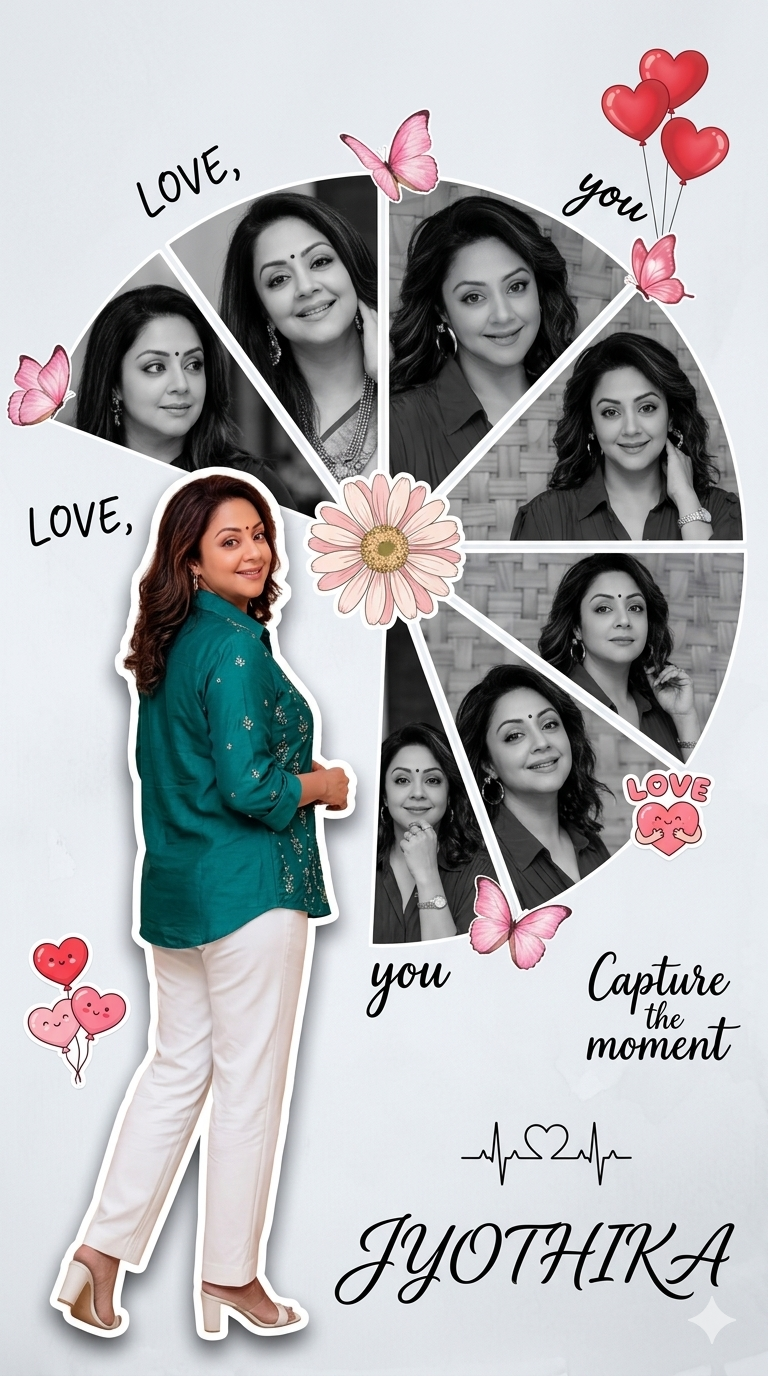
A creative romantic digital photo collage featuring a young beautiful woman in a peacock green shirt and white trousers. The main subject is a full-body cutout placed slightly to the left, turned back and smiling over her shoulder, wearing a peacock green embellished shirt. Behind and around her is a semi-circular collage of multiple black-and-white portrait shots of the same woman, each showing different expressions and poses, arranged in curved segments. The background is a soft light grey textured surface with a clean, minimal aesthetic.
Decorative elements include pink butterflies, a floral daisy near the center, red heart balloons, and cute love-themed stickers. Handwritten-style text elements like “LOVE,” “you,” and “Capture the moment” are scattered around. A small heartbeat line with a heart icon is also included. At the bottom, the name “JYOTHIKA ” appears in elegant cursive typography. Soft shadows, smooth cutout blending, high-end Photoshop manipulation, romantic mood, pastel tones, high resolution, 4K, 9:16 ratio.
Tips for Success with Gemini
-
Be Specific: Instead of saying “a romantic collage,” say “a collage for a wedding anniversary with red roses and gold accents.”
-
Mention Resolution: Always include “high resolution” or “4k” to ensure the final image isn’t blurry.
-
Iterate: If the first result isn’t perfect, tell Gemini what to change. For example: “Make the colors warmer and add more flowers.”
By combining these elements—theme, layout, lighting, and decoration—you can create a stunning digital memory that captures the essence of romance perfectly.