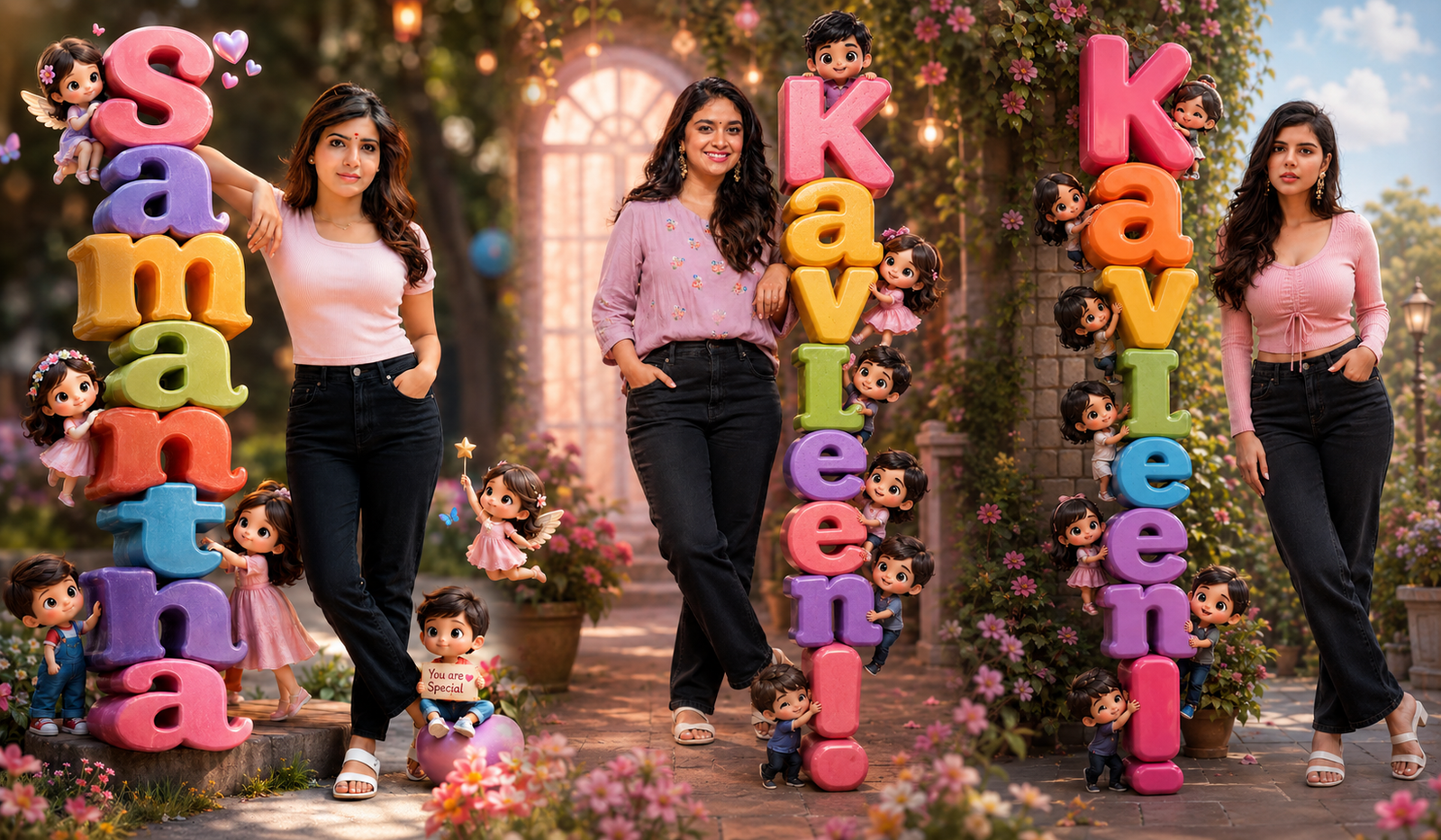
Creating Viral 3D Chibi AI Portraits Using Premium AI Tools
Introduction
இப்போதெல்லாம் social media-வில் viral ஆகும் content என்னனா — 3D Chibi AI portraits தான். Cute, colorful, cartoonish style-ல realistic face combine பண்ணி create பண்ணுற இந்த trend, Instagram, WhatsApp DP, YouTube thumbnails எல்லாத்திலும் trending. இந்த guide-ல, எப்படி premium AI tools use பண்ணி professional-level chibi portraits create பண்ணலாம் என்பதை mixed Tamil + English style-ல detailed ஆக explain பண்ணப் போறோம்.
What is 3D Chibi Style?
“Chibi” என்பது Japanese origin word. இதன் meaning — small, cute, exaggerated features.
👉 Chibi characters usually:
Useful Updates
- Big eyes 👀
- Small body
- Cute expressions 😊
- Bright colors 🎨
3D Chibi AI portraits-ல, real மனிதரின் face-ஐ எடுத்துக்கிட்டு அதை stylized cartoon மாதிரி மாற்றுவாங்க. இது தான் viral ஆகுது because:
✔ Relatable (your own face)
✔ Cute & emotional appeal
✔ Social share-friendly
Premium AI Tools You Can Use
3D chibi portraits create பண்ண premium tools ரொம்ப முக்கியம். Free tools basic results தரும், ஆனால் premium tools தான் realistic + viral quality output தரும்.
Popular Tools:
- MidJourney → Artistic & cinematic results
- DALL·E → Clean AI-generated portraits
- Leonardo AI → Game-style 3D characters
- Adobe Firefly → Professional editing
👉 இந்த tools use பண்ணும்போது, “prompt engineering” முக்கியம்.
Useful Updates
Prompt Writing Secret (Very Important)
AI output quality = Prompt quality
ஒரு நல்ல prompt example:
“Create a 3D chibi style portrait of a South Indian girl, soft smile, pastel pink top, black jeans, white sandals, cinematic lighting, ultra realistic face, cute cartoon body, 4K resolution”
👉 Tips:
- Dress details add பண்ணவும்
- Lighting specify பண்ணவும் (soft light / cinematic light)
- Emotion mention பண்ணவும் (smile / happy / cute)
- Quality keywords add பண்ணவும் (4K, ultra detailed)
Step-by-Step Process
Upload Image
உங்கள் photo clear-ஆ upload பண்ணவும் (front face best).
Choose Style
“3D Chibi”, “Pixar style”, “Cartoon 3D” போன்ற styles select பண்ணவும்.
Enter Prompt
மேலே சொன்ன மாதிரி detailed prompt எழுதவும்.
Generate Image
AI generate பண்ணும் → multiple outputs வரும்.
Edit & Enhance
- Background blur
- Color correction
- Lighting adjustment
எப்படி Viral ஆக்குவது?
ஒரு portrait create பண்ணது மட்டும் போதாது. அதை viral ஆக்க strategy தேவை.
👉 Tips:
- Bright colors use பண்ணவும்
- Cute expression முக்கியம்
- Name text add பண்ணலாம் (3D letters)
- Instagram reels-ல post பண்ணவும்
- Before vs After show பண்ணவும்
👉 மக்கள் அதிகம் share பண்ணுறது:
✔ Emotional faces
✔ Couple chibi portraits
✔ Name-based designs
Tools Comparison Table
| Tool Name | Quality Level ⭐ | Ease of Use 👍 | Best For 🎯 | Price 💰 |
|---|---|---|---|---|
| MidJourney | ⭐⭐⭐⭐⭐ | Medium | Cinematic & artistic output | Paid |
| DALL·E | ⭐⭐⭐⭐ | Easy | Clean AI portraits | Free + Paid |
| Leonardo AI | ⭐⭐⭐⭐⭐ | Medium | 3D game-style characters | Free + Paid |
| Adobe Firefly | ⭐⭐⭐⭐ | Easy | Editing & enhancement | Paid |
Pro Tips for Better Results
- High-quality input image use பண்ணவும்
- முகம் clearly visible இருக்கணும்
- அதிக accessories avoid பண்ணவும்
- Consistent lighting maintain பண்ணவும்
- Multiple variations generate பண்ணி best select பண்ணவும்
Common Mistakes to Avoid
❌ Over prompt (too much unnecessary detail)
❌ Low resolution images
❌ Wrong style keywords
❌ முகம் distortion ignore பண்ணுவது
👉 Always refine your prompt until perfect output கிடைக்கும்.
Prompt:
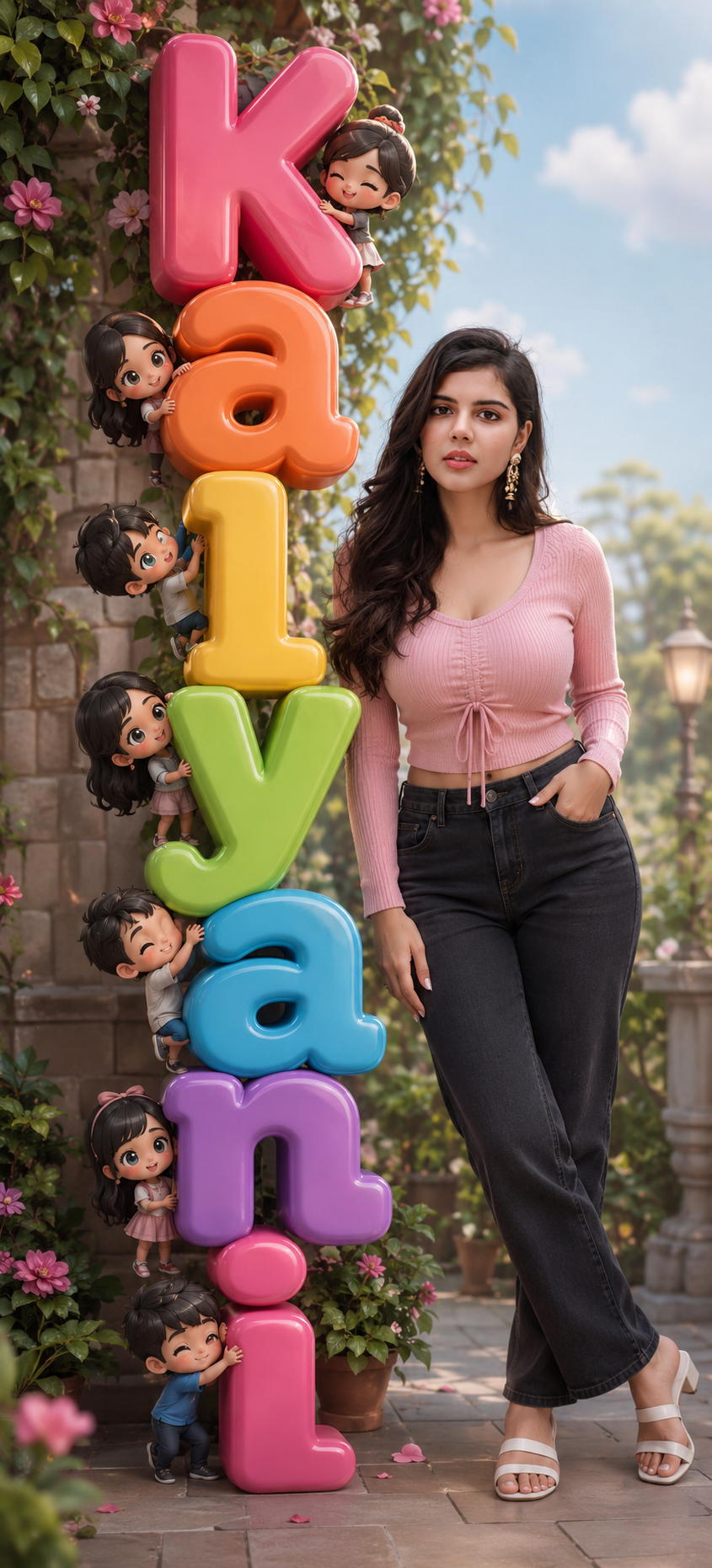
Create a whimsical, photorealistic 3D composite portrait of a young Asian woman based on the attached image standing next to giant colorful 3D letters spelling “Anishma” stacked vertically. Mix of real photography and cute chibi-style 3D characters. Main Subject: woman: south Indian, natural look, soft smile. Wearing a pastel pink top, black denim jeans and white sandel. Maintain the exact face
Conclusion
3D Chibi AI portraits create பண்ணது ஒரு simple process இல்லை — அது ஒரு creative skill + AI understanding combo. Premium tools use பண்ணி, சரியான prompt எழுதினா, நீங்கள் உருவாக்கும் images viral ஆகும் chance ரொம்ப அதிகம்.